
 By Alpit Patel and the aibrevo team · September 14, 2026 · Updated September 18, 2026 · 19 min read
monday.com Automation Recipes for Sales-to-Delivery Handoffs
Which monday.com automations are worth building for sales-to-delivery handoffs, which ones create duplicate items and mirror-column mess, and why action limits bite.
Key takeaways
- The one handoff automation worth building creates the onboarding item, assigns the delivery owner and notifies the right team the moment a deal closes, and it should update that item on later status changes, not create a new one each time.
- A poorly scoped 'when status changes, create item' automation quietly multiplies board rows every time a deal moves stages, and teams usually don't notice until reporting stops matching reality.
- Mirror columns should be limited to three or four fields per board connection: pulling in every available field slows boards down and buries the fields people actually check under ones nobody reads.
- monday CRM prices automation capacity by plan tier: Standard includes 250 combined automation and integration actions a month, Pro includes 25,000, and Basic ships with no automation budget at all, per monday.com's own pricing page.
- Notifying a whole team or channel instead of one person doesn't just create noise, it multiplies action consumption: monday.com's own docs confirm a notification sent to six board subscribers uses six actions, not one, against the monthly cap.
- Typical cost to build a properly scoped set of cross-board monday.com automations runs $3.5k-$8k for a mid-market team, over a 2-8 week timeline.
The automations worth building for a sales-to-delivery handoff on monday.com are narrow and specific: closing a deal creates or updates one onboarding item, assigns one delivery owner, and notifies that one person. Mirror columns pulling in everything a connected board offers, notifications blasted to a whole channel, and automations that create a new item on every status change instead of updating an existing one all look like automation but mostly generate mess. The teams that get real value from monday.com automation build fewer recipes, scoped tighter, than the ones who add every template monday.com suggests.
Deal-closed handoff
Reaching Closed Won creates or updates one linked onboarding item, assigns a delivery owner by rule, and notifies that owner directly, scoped to fire on that single transition rather than every status change.
Removes the single biggest source of dropped handoffsMirror columns, trimmed
Each board connection carries only the three or four fields a delivery owner actually checks, deal value, contract start date, primary contact, tier, instead of every field a connected board makes available.
Keeps boards fast to load and easy to scanPerson-specific notifications
Every automated notification routes to the individual who owns the next action, the assigned delivery owner or the original account executive, rather than a shared team channel that people learn to skim past.
Keeps the notification feed worth reading, and the action budget intactAction-limit headroom check
Expected monthly deal volume is checked against the plan tier's automation and integration action caps before the build goes live, since a cross-board handoff consumes several actions per closed deal at once.
Catches the cap before automations start silently failingThe handoff automation that’s actually worth building
The single highest-value monday.com automation for a sales-to-delivery process fires on one event: a deal item reaching Closed Won. From there it does three things: creates (or updates) a linked onboarding item on the delivery board, assigns a delivery owner based on rules like account size, region or product line, and sends a direct notification to that owner. Nothing else needs to trigger it, and it doesn’t need to do anything more than that.
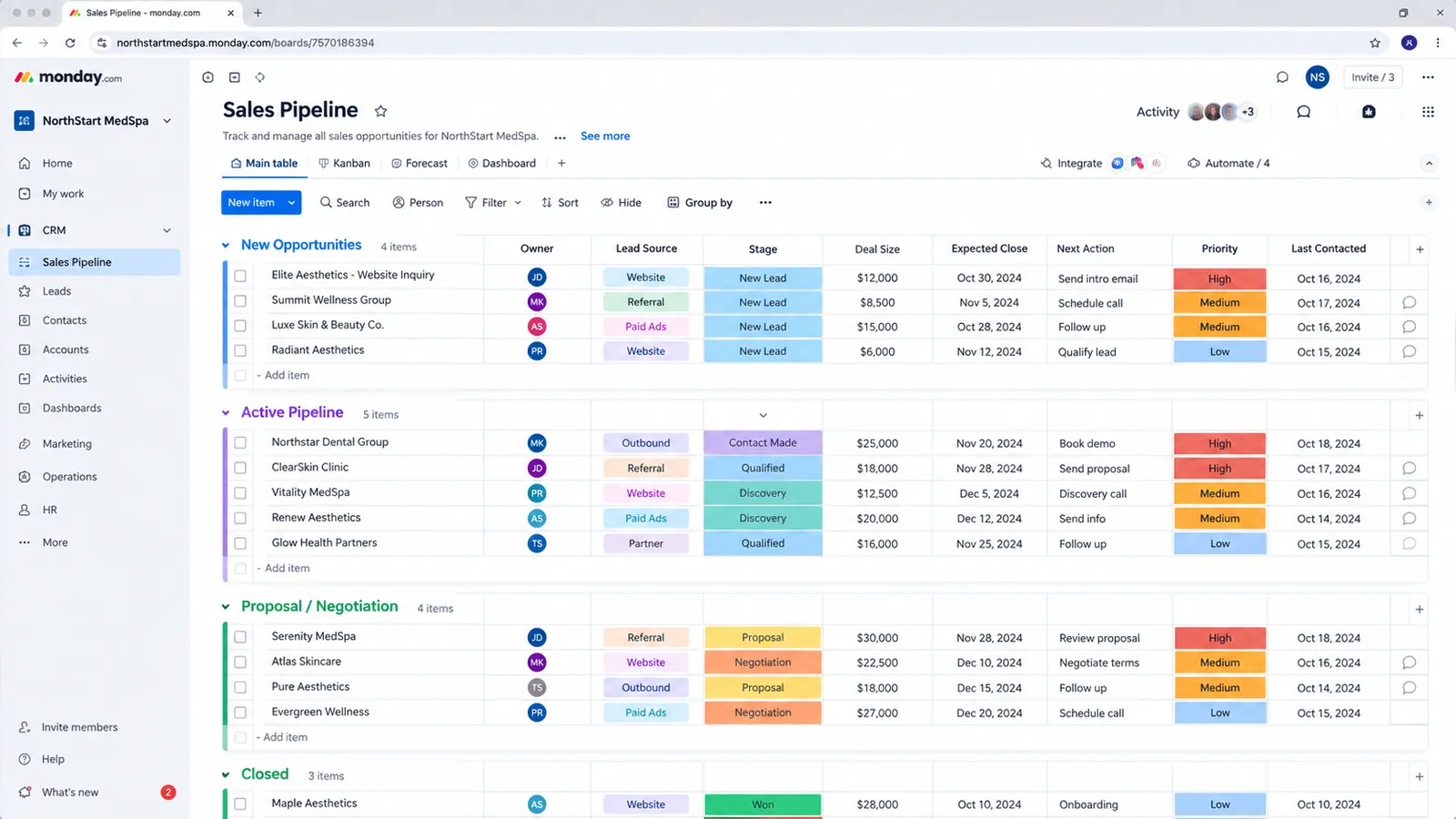
The detail that separates a durable version of this automation from one that degrades over a few months is whether it’s built to update an existing item or create a new one. A deal item typically moves through several statuses before it closes (Discovery, Proposal, Negotiation, Closed Won), and if the create-onboarding-item automation is scoped to fire on “status changes” broadly rather than on the single specific transition into Closed Won, it fires every time the deal moves, not just once. This is exactly the automation mistake that creates duplicate items instead of updating one: a poorly scoped automation fires on every status change and creates a new item each time, quietly multiplying the board until reporting is unusable. The result is a delivery board that quietly accumulates duplicate onboarding items for the same account, one per stage the deal passed through, and nobody notices until someone tries to run a report and the counts don’t reconcile with actual client accounts.
The fix is narrow scoping on the trigger and an update action rather than a create action once the linked item already exists. Set the trigger to fire only on arrival at Closed Won, and have the automation check for an existing linked onboarding item before creating a new one, updating it with the close date and assigned owner if it’s already there, creating it only if it isn’t. This is the kind of scoping that’s straightforward to describe and easy to get wrong under normal build pressure, which is part of why it’s worth getting right the first time rather than discovering the duplication three months into using the board for reporting — the kind of gap monday.com CRM implementation work is built to catch before it reaches production.
Three more recipes worth building, exact trigger and action logic
Beyond the deal-closed handoff, three narrower recipes cover most of what a sales-to-delivery process actually needs, and each one is worth building with the exact trigger, condition and action spelled out rather than left to whatever a template defaults to.
Inbound lead routing from a form. monday.com doesn’t have a distinct “when form submitted” trigger type. A monday.com form is a front end that creates a new board item on submit, so the trigger that actually fires is “when an item is created,” the same event a manually typed row would generate, a point confirmed in discussion on monday.com’s own community forum. That matters because it means form-specific logic has to be built with a condition, not a trigger. The practical recipe: add a required dropdown or status field to the form itself (say, “Inquiry type: Sales / Support / Partnership”), then build the automation as “when an item is created and only if Inquiry type contains Sales, assign to the SDR on rotation and notify them.” Without that condition column, every form submission, regardless of type, fires the same routing logic, which is how sales reps end up getting notified about support tickets.
Slack alert for high-value deals. Not every deal needs a real-time ping, but a deal over a size threshold usually does. The recipe: “when Deal Value changes and Deal Value is greater than [$25,000] and Stage is Proposal or later, notify [specific Slack channel or the deal owner’s manager].” Scoping the condition to both a dollar threshold and a stage keeps this from firing on early-pipeline deals that are still likely to fall through, which is the version of this recipe that actually gets read instead of ignored.
Stalled-deal nudge. monday.com’s date-based automations can fire off elapsed time rather than a direct field change, which is the mechanism behind a stalled-deal recipe: “when Status has been [Negotiation] for more than 10 days, notify the deal owner and their manager.” This is a genuinely different trigger type from a status-change trigger, since it fires on the passage of time within a status rather than on the status changing at all, and it’s the recipe most sales-to-delivery builds skip even though it catches exactly the deals most likely to go cold silently.
All three recipes share the same underlying discipline as the handoff automation: a specific trigger, a narrow condition, and one clear action, not a broad trigger with a hope that the right people notice.
Board mechanics that break silently in cross-board automations
Two board-level details cause more automation debugging time than any single misconfigured trigger, and neither one shows up until a cross-board recipe is already live.
The first is column type support. When a cross-board automation writes a new item from one board to another (the exact mechanic behind the deal-closed handoff), not every column type maps across. Dependency columns, Link to Item columns, and Time Tracking columns are not currently supported in that field-mapping step, so the new item lands with those columns blank, and whoever’s building the delivery process has to fill dependencies in manually after the automation runs rather than assuming the automation carried them over. This is easy to miss during a demo, where a handoff automation looks like it worked perfectly, and only shows up once a delivery team notices that task dependencies never made it onto the new onboarding item.
The second is the Connect Boards column limit: a single board supports up to 60 Connect Boards columns before monday.com blocks adding more. That ceiling is high enough that most sales-to-delivery builds never approach it, but teams that connect a sales board to onboarding, delivery, invoicing, support and several regional boards at once, each with its own connect-boards column, can get closer to it than expected, especially once a board has been in use for a year or two and connections have accumulated without anyone auditing which ones are still in use.
Subitems add a third layer worth knowing about specifically for complex handoffs: dependency columns work down to four levels of nested subitems, so a delivery item can have its own subtask breakdown with dependencies between those subtasks, not just between top-level items. That’s useful for onboarding checklists with a strict order (contract signed before kickoff call before account provisioning), but it also means a dependency-aware automation recipe needs to account for which level it’s actually triggering on, since a status change on a subitem doesn’t automatically propagate up to its parent item without its own explicit automation.
Mirror columns: three or four fields, not everything on offer
Mirror columns let one board display fields from a connected board without duplicating the data, and they’re genuinely useful for giving a delivery team visibility into deal details without needing sales-board access. The mistake is mirroring every available field instead of the few that actually inform a decision on the receiving board.
A delivery board that mirrors a dozen fields from the sales board, deal value, close date, deal owner, deal source, lead score, last activity, next step, competitor mentioned, contract length, discount applied, forecast category, and more, becomes slower to load and harder to scan than one that mirrors three or four. This is the mirror-column overload pattern: boards get a dozen mirrored fields each and become slow and confusing, when most teams need three or four mirrored fields, not all of them. The fields a delivery owner actually checks when picking up a new account are usually a short list: deal value, contract start date, primary contact, and maybe the account’s tier or plan level. Everything past that is noise on a board where the point is fast scanning, not a full record of the sales process.
The practical exercise is asking what decision someone makes by looking at this board, then mirroring only the fields that inform that decision. If the answer is “nothing specific, it’s just useful to have,” that’s usually a sign the field belongs on the sales board a delivery person can view on request, not mirrored permanently onto a board they check daily. This same discipline applies whether you’re connecting a two-board setup or a full sales-onboarding-delivery chain, and it matters more as the number of connected boards grows, since each additional mirror multiplies the columns a person has to visually filter past.
Notifications: route to a person, not a channel
Route every automated notification to the one person who owns the next action, not a shared channel or team feed. An automation that posts to a whole team’s notification feed every time a deal closes feels like communication, but it trains people to stop reading it, and the notification that actually matters, “you now own this account’s onboarding,” gets buried in the same feed as routine status pings nobody needed to act on.
The better pattern routes each notification to the specific person who owns the next action. When a deal closes, the delivery owner assigned by the handoff automation gets a direct notification, not the whole delivery team. When onboarding hits a milestone that needs sales input, the original account executive gets notified, not a shared channel. This keeps each notification meaningful because the person receiving it is also the person who needs to do something about it, and it avoids the slow erosion where a channel full of automated pings becomes something people mute rather than read.
There’s a cost mechanic behind this too, not just a communication one. monday.com’s own support documentation on custom automations confirms that a notification template configured to notify a group, board subscribers or a team, rather than a single individual, consumes one action per recipient it notifies, not one action for the whole notification. A recipe that pings six board subscribers uses six actions against the monthly cap every time it fires, while the same recipe scoped to one assignee uses one. Over a month of deal activity, that difference compounds fast, and it’s a direct, sourced reason (not just a readability argument) to route notifications narrowly.
This matters more, not less, as automation volume increases. A team running a handful of automations can get away with looser notification routing because the volume is low enough that people still skim it and the action cost is negligible. A team running the full sales-to-delivery chain across multiple boards generates enough automated notifications that routing discipline determines both whether people still trust the notification feed by month three and whether the account has enough action budget left to keep the rest of the automations running.
What monday CRM’s plan tiers actually cap, and where teams hit it
Every monday CRM plan tier caps how many automation and integration actions run per month, and the cap steps up sharply at each tier rather than scaling gradually. Per monday.com’s own pricing page (live as of September 2026), monday CRM Basic ships with no automation budget at all: automations are a Standard-and-above feature on the CRM product line, not something a Basic-tier account can build out. Standard, at $17/seat/month billed annually, includes 250 custom automations a month. Pro, at $28/seat/month billed annually, jumps to 25,000 a month. Ultimate, custom-quoted and formerly called Enterprise, is described on monday’s own pricing page as offering “enterprise-scale automations,” typically in the same 250,000-action range monday.com quotes for its Enterprise work-management tier, though the exact Ultimate CRM figure is a custom-account detail worth confirming directly with monday.com sales rather than assuming it matches the general Work OS number.
A single project board with a few basic automations rarely comes close to the Standard tier’s 250-action limit. A CRM is a different pattern entirely. A real CRM build on monday.com typically connects multiple boards, sales, onboarding, delivery, each with its own automations, and often chains them together so that closing a deal on the sales board triggers an item creation on the onboarding board, which triggers a notification, which triggers a status sync back to sales. Each of those steps counts as an action against the monthly cap, and a moderately active sales team can generate a lot of them in a month without anyone tracking the count.
This is exactly how teams hit automation and integration action limits mid-rollout, usually discovered when automations start silently failing rather than through any warning message. A deal closes and nothing happens: no onboarding item, no assignment, no notification. The instinct is to assume the automation itself is broken and start debugging trigger logic, when the actual cause is that the account has exhausted its monthly action allowance and monday.com has stopped executing new automation runs until the next billing cycle or a tier upgrade.
A single closed-won deal running through a well-built handoff already consumes several actions at once, which is why cross-board CRMs exhaust a monthly allowance far faster than a one-board tracker doing simple status updates:
Scoping this correctly means estimating expected monthly volume before the build, not after: how many deals close per month, how many automation and integration actions each handoff consumes, and how much headroom that leaves against the plan tier’s cap. This is the kind of check that costs an hour during planning and saves a confusing week of “why did our CRM stop updating” during rollout — the same tier math covered in monday.com CRM Pricing Explained. It’s also a reason to size the automation build to actual deal volume rather than building the most feature-complete version possible on day one; a leaner set of automations that stays comfortably under the action cap is more reliable in practice than a more elaborate one that clips the ceiling in a busy month.
How this compares to a purpose-built marketing CRM’s automation engine
monday.com’s automation model and a marketing-first CRM’s workflow engine solve different problems, and the difference shows up most clearly in how each one prices scale. GoHighLevel, a CRM built around outbound sequencing (SMS, email, voice, and multi-step nurture campaigns), doesn’t cap standard workflow actions the way monday.com caps automation actions: linear sequences of standard triggers and actions run without hitting a hard ceiling on the core plan. What does carry a usage-based cost is HighLevel’s Workflow Pro add-on, which covers premium triggers, marketplace-app actions and LC App steps specifically. Per HighLevel’s own Workflows Pro Plan documentation, that add-on runs in volume tiers from a free plan (100 lifetime executions, then $0.01 each) up to a $50/month Scale tier covering 65,000 executions before overage billing kicks in, layered separately on top of whatever core GoHighLevel plan tier the account already pays for.
The practical takeaway isn’t that one platform is unconditionally more capable than the other, it’s that they’re built for different jobs. monday.com’s action caps govern internal record-keeping and cross-board state changes, the sales-to-delivery handoffs this post is about, and 250 to 25,000 actions a month is genuinely plenty for that use case once recipes are scoped narrowly. GoHighLevel’s model is built for a different volume pattern entirely: hundreds or thousands of SMS and email sends per campaign, which is why its standard workflow actions aren’t metered the same way. A team trying to run high-volume outbound nurture sequences on monday.com’s automation engine will hit action caps that a marketing-first platform wouldn’t impose on the same volume, and a team trying to run detailed cross-board record automation on a marketing CRM will find the reverse gap: less mature board-relationship and mirror-column tooling than monday.com offers natively. Agencies that need both sides, monday.com for internal CRM operations and a GoHighLevel-style engine for outbound sequencing, typically end up running two connected systems rather than forcing one to do both jobs; HighLevel Automation Team’s automation setup service is one example of a team that builds that connective layer (n8n, Make, Zapier) between platforms like this rather than picking one automation engine to do everything.
Scoping a build that stays reliable
A cross-board automation set connecting sales, onboarding and delivery on monday.com is worth building when it’s scoped to the handoffs that actually matter, not every status change that could theoretically trigger something. In practice that means one well-built handoff automation using update logic instead of create logic, mirror columns trimmed to three or four fields per connection, notifications routed to individuals instead of channels, and a monthly action estimate checked against the plan tier before the build goes live. aibrevo builds these automations for ops-led teams of 10-100 users connecting sales, onboarding and delivery boards — that range is where teams most reliably hit this exact set of trade-offs, since they’re past the point where a single shared board covers everything but not yet at a scale where a dedicated integration platform makes more sense than monday.com’s native automation engine.
A properly scoped build like this typically runs $3.5k-$8k for a mid-market team and takes 2-8 weeks, with the range driven mostly by how many boards need connecting and how much cleanup the existing setup needs before new automations go in: duplicate-generating recipes and overloaded mirror columns both add time to untangle. Full pricing detail, including how monday.com’s own plan tiers factor into the total, is covered in the monday.com CRM pricing guide, and the broader question of whether monday.com’s feature set holds up as a CRM rather than just a project board is covered in Is monday.com a Real CRM?. Setup for the specific Slack, Gmail and Zoom integrations these handoffs often lean on is covered separately in monday.com + Slack, Gmail and Zoom Integrations. Current pricing for a scoped automation build is worth checking directly rather than assuming a flat number applies to every setup, since board count and existing automation debt both move it.